Private cycle tracking without vendor lock-in
Ovumcy keeps private cycle tracking available in four honest product paths: app-only on one device, full self-hosted web, app-plus-sync on your own server, or managed hosting when continuity matters more than running the stack.
Start with the path that matches real life now, then add sync or hosting later instead of forcing everything through one cloud-only default.
Available on iOS and Android through Ovumcy App.
Self-hosted web covers browser or PWA access. Self-hosted sync keeps the mobile app and adds your own server later.
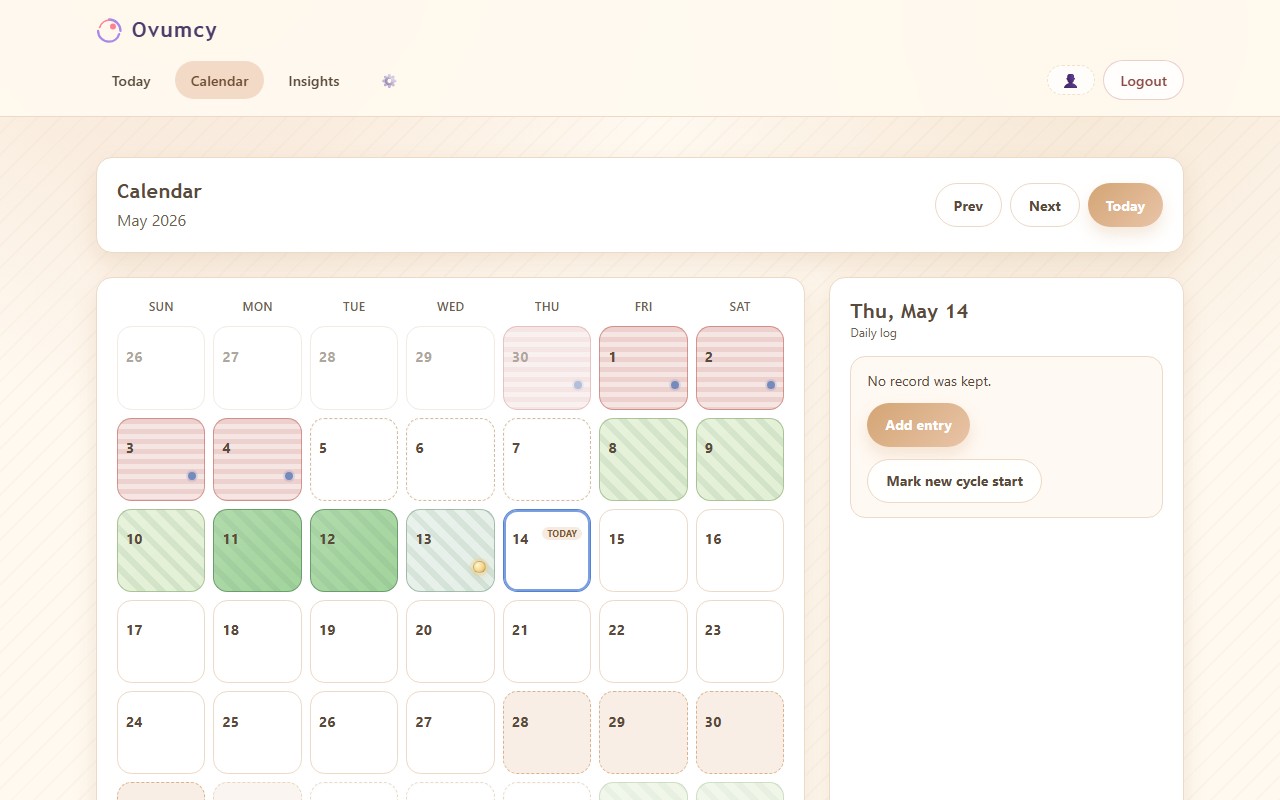
Recorded symptoms stay attached to the selected day, while predicted days stay easy to spot.
Four honest ways to use Ovumcy.
Ovumcy is easier to understand when the product paths stay explicit. One person may want a local-only app. Another may want a browser-accessible server deployment. Another may want the app plus self-hosted encrypted sync. Another may want managed continuity instead of running servers.
App only
Start with the local-first mobile app on iOS or Android when simple on-device use matters more than browser access or infrastructure control.
- Core use works without an account or sync.
- Health data stays on-device by default.
- Best first step for non-technical users.
Self-hosted web
Deploy the full Ovumcy web product on your own server when browser or installed PWA access and operator-controlled storage matter most.
- One browser-accessible deployment on infrastructure you control.
- SQLite baseline with advanced Postgres path later.
- Best fit for the full self-hosted web story.
Self-hosted sync
Keep using the mobile app and run your own encrypted sync server only for backup, restore, and multi-device continuity.
- Server exists for encrypted sync transport, not the full web UI.
- Designed to store ciphertext and sync metadata.
- Best fit for app users who still want their own infrastructure.
Managed hosting
Use managed hosting when sync and managed-only convenience are more important than operating the stack yourself.
- No server administration required from the user.
- Separate route from both the app-only and self-hosted docs.
- Best fit when continuity matters but infrastructure work does not.
See what Ovumcy App actually looks like.
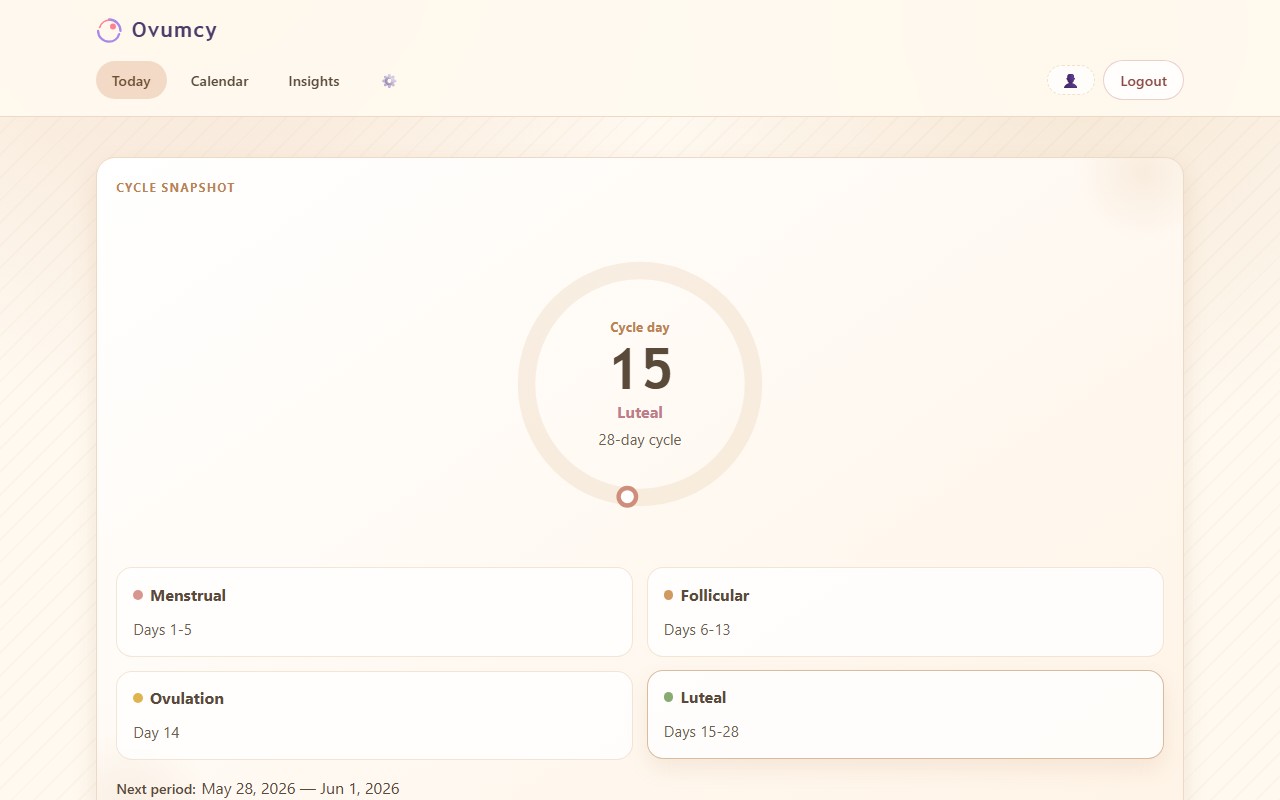
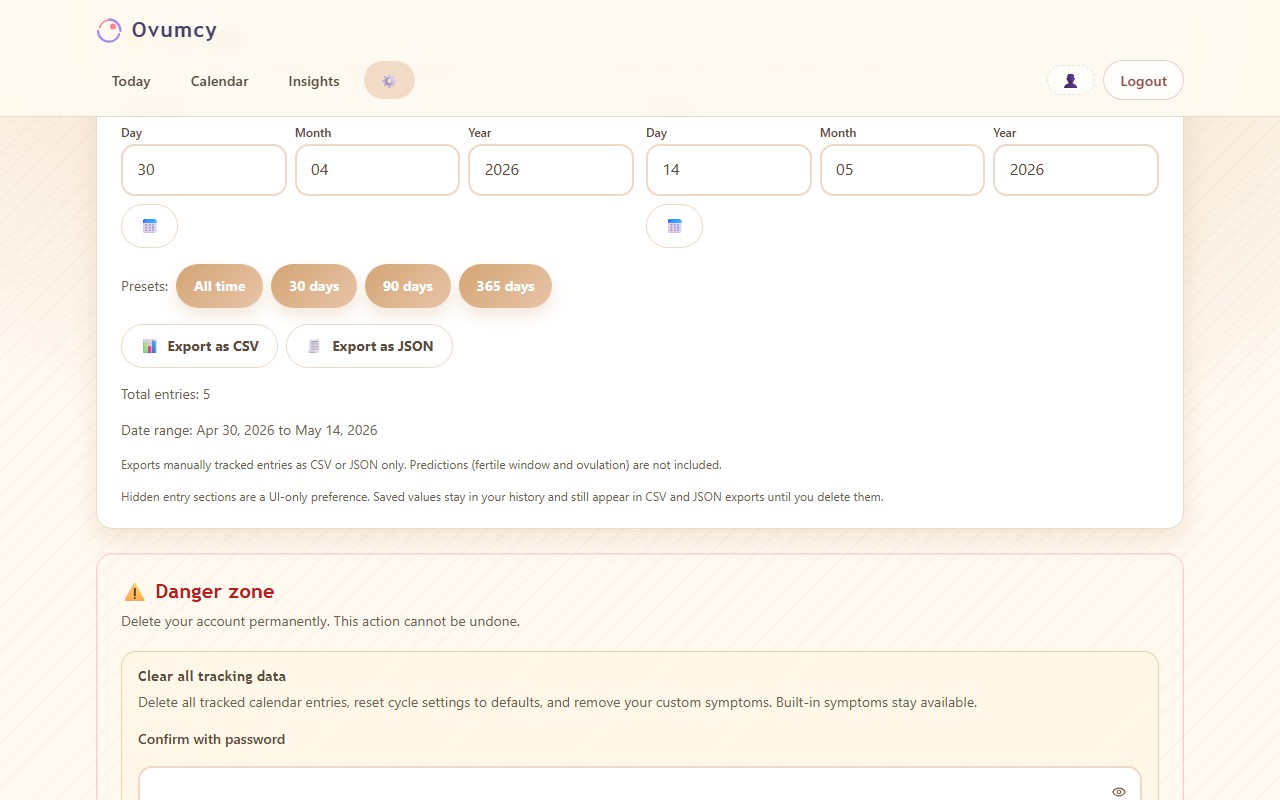
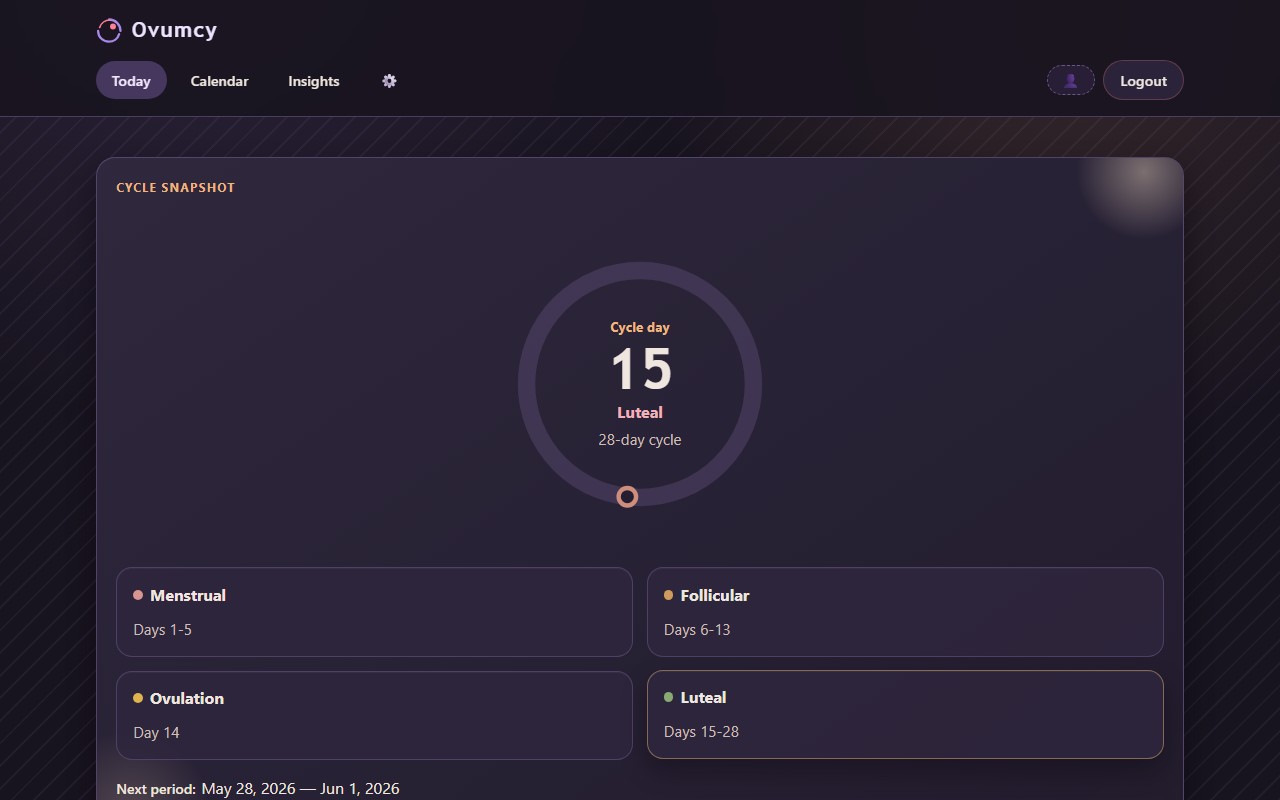
These are current Ovumcy App screenshots, not decorative concept art. They show the real interface a new user can expect before choosing app-only use, self-hosted sync, or managed hosting later.
See the current cycle day, phase context, next period estimate, and daily journal shortcuts in one view.
Review recorded days, predicted phases, and saved daily context in a dedicated calendar layout.
Adjust language, appearance, and app behavior without turning the product into a cloud-first account funnel.
Back up locally, restore later, or connect the app to managed or self-hosted sync when continuity matters.
No server is required to start with these app screens. A server only enters the picture later for the full web deployment, self-hosted sync, or managed continuity.
Privacy-first product choices that stay visible.
Even when the product path changes, the core promises stay readable: no ad-tech by default, portable exports, clear cycle views, and honest deployment boundaries instead of hidden vendor assumptions.
On June 22, 2021, the U.S. Federal Trade Commission finalized an order with Flo Health after alleging that, despite privacy promises, it shared sensitive health data with Facebook, Google, and other marketing or analytics firms. Read the FTC order.
The product story starts from private cycle tracking, not from monetizing health data later.
The right storage story depends on the path: on-device app use, full server-side web deployment, encrypted sync transport, or managed hosting.
Ovumcy covers period history, symptoms, notes, cycle phase, fertile window, and ovulation estimates in one readable flow.
CSV, JSON, and PDF export keep records usable for backup, migration, and personal review.
The full self-hosted web product runs in the browser and can be installed to a phone home screen without changing the deployment model.
GitHub remains part of the public trust model, so release history, source code, and issue reports can be reviewed before deployment.
Choose the path that matches real life.
If no server sounds right, the decision is usually between the local-first app and managed hosting. If infrastructure control matters, the decision is between the full self-hosted web deployment and the smaller self-hosted sync server for the mobile app.
| Question | App only | Self-hosted web | App + self-hosted sync | Managed hosting |
|---|---|---|---|---|
| Best starting point | Private tracking on one device | Browser or PWA on infrastructure you control | Keep the app and add your own sync server | Sync and continuity without running infrastructure |
| Do you need your own server? | No | Yes | Yes | No |
| How do you use it day to day? | Phone app | Browser or installed PWA | Phone app with an encrypted sync server behind it | Managed product path |
| What happens with sync or backup? | No sync is required to start; backup or sync can be added later | One deployed web product instead of a separate app sync layer | Encrypted backup, restore, and multi-device sync for the app | Managed sync plus hosted-only extras |
| Who runs it? | The device owner | The self-hosting operator | The sync-server operator | The managed hosting provider |
| Plain-language fit | Fastest private start | Full infrastructure control | App users who still want their own infrastructure | Less ops, more convenience |
All four routes keep exportability visible and avoid mandatory ad-tech as part of the core product story.
Need docs, background, or a contact point?
These links handle the next practical questions: full self-host docs, setup guidance, grouped FAQ answers, ecosystem context, the sync backend, and the current public place for product questions.
Read the deeper explanation of requirements, storage, updates, and why the supported self-host path stays intentionally narrow.
Use the Docker-first install guide for the full self-hosted web stack, then move to public HTTPS only through the official reverse-proxy examples.
See grouped answers about app-only use, self-hosted web, self-hosted sync, managed hosting, exports, backups, and cycle estimates.
Read what Ovumcy is, why it exists, and how app, self-hosted web, sync, and managed hosting fit together.
See the encrypted sync backend used by Ovumcy App when someone wants backup, restore, and multi-device sync on their own infrastructure.
Today, the public place for product questions, bug reports, and follow-up is GitHub Issues.
Common questions about Ovumcy product paths.
These short answers are written to be readable both by people evaluating the project and by AI search systems extracting concise product facts.
Do I need a server to use Ovumcy?
No. Ovumcy App is the local-first mobile client for iOS and Android, and its core tracking flows work without an account, sync, or a server. A server becomes relevant only when someone wants the full self-hosted web product or optional self-hosted sync later.
What is the difference between the Ovumcy app, self-hosted web, and managed hosting?
The Ovumcy app is the no-server local-first path. Self-hosted web is the full server deployment used through a browser or installed PWA. Managed hosting is the convenience path for people who want sync and managed-only features without operating the infrastructure themselves.
What is self-hosted sync for the app?
Self-hosted sync is a separate server path for Ovumcy App, not the full web product. It gives the mobile app encrypted backup, restore, and multi-device sync through a server that is designed to store ciphertext and sync metadata instead of plaintext health records.
What does managed hosting add compared with app-only or self-hosted use?
Managed hosting is the path for people who want sync plus additional managed-only convenience without operating servers themselves. It goes beyond the local app path and should not be treated as identical to a standard self-hosted deployment.
Where is data stored in app, self-hosted web, and self-hosted sync?
The answer depends on the path. App-only keeps core health data on-device. Self-hosted web stores records in the server-side database you operate. Self-hosted sync is designed so the sync server stores ciphertext and sync metadata for the app rather than readable health records.
How can Ovumcy data be backed up or exported?
Ovumcy supports CSV, JSON, and PDF export for user-facing portability. App users should treat local exports and backup artifacts as privacy-sensitive. Self-hosted web operators should also back up the persistent SQLite volume or use native PostgreSQL backup tooling for the advanced Postgres path.
Need the grouped long-form answers with install, privacy, sync, and backup context? Open the full FAQ.
Start with the route that matches real life.
No server? Start with the app. Want sync plus managed convenience? Use cloud. Want browser or PWA access on infrastructure you control? Follow the self-hosted web docs instead of forcing yourself through the wrong product path.
Need app sync on your own server? Review self-hosted sync. Questions or issue reports go through GitHub Issues.